After-visit summaries.
Built for your practice.
Patients leave appointments carrying diagnoses and treatment plans they're expected to remember without anything written down. The Ophthalmology AVS closes that gap — a customizable, AI-powered summary tool built around how ophthalmology practices actually work. Your logo, your branding, on every page.
Built-in diagnoses.
Fully yours to edit.
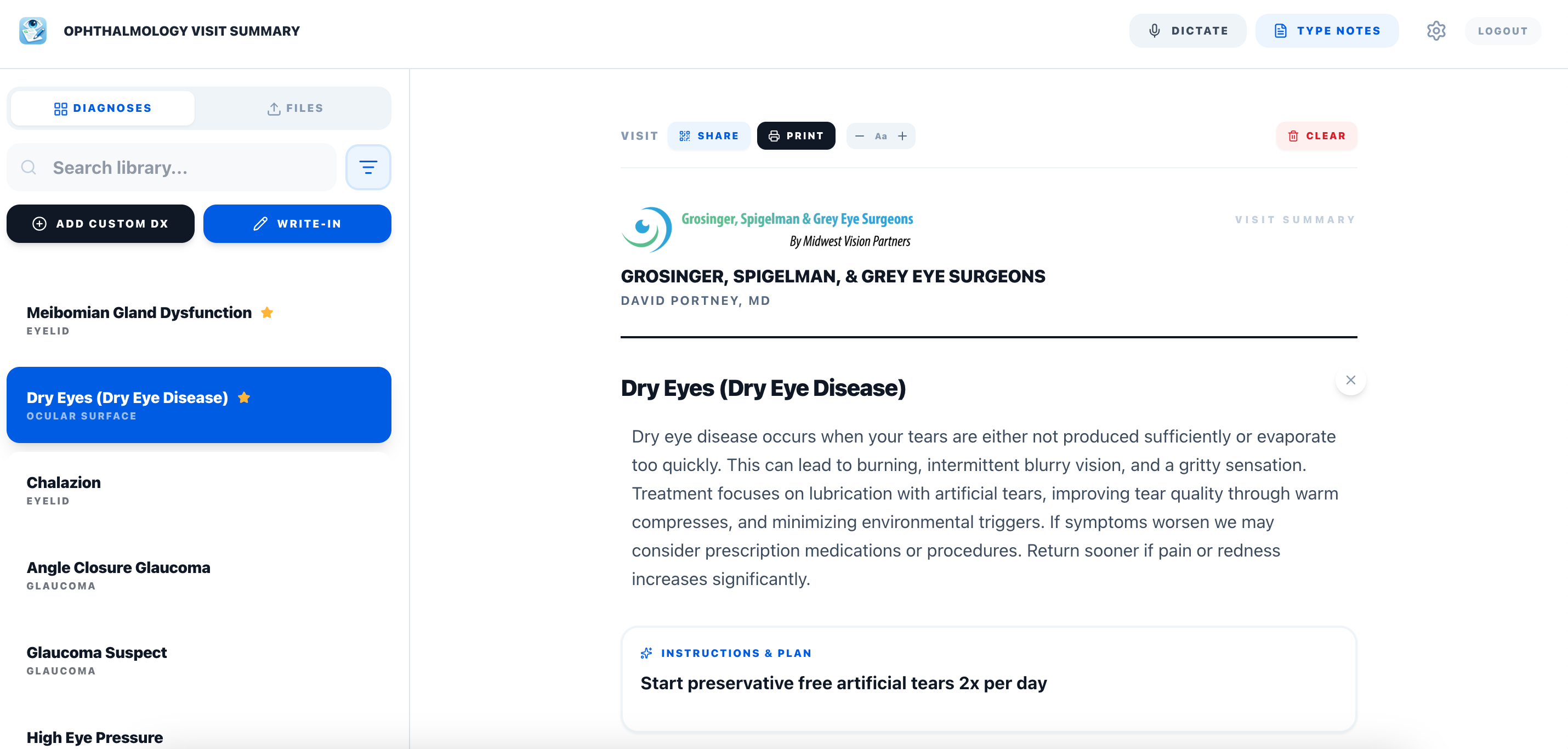
The app ships with a curated library of common ophthalmic diagnoses — each with a patient-friendly explanation written at the right reading level. Don't like the language? Edit it. Your changes save automatically for every future visit.
Need a diagnosis that isn't in the library? Add it. Give it a name, write the explanation, and it's available from that point forward. Mark the diagnoses you reach for every day as favorites so they surface first — no searching required.
Attach your own PDFs to any summary. Upload post-op instructions, IOL option sheets, consent forms, or referral pads — and they appear as selectable attachments every time you build a visit summary.
Built for the
iPad practice.
Not every practice runs on a desktop. Many ophthalmologists see patients with an iPad in hand — and in that workflow, printing is cumbersome, typing on glass is slow, and paper handouts get lost at the door.
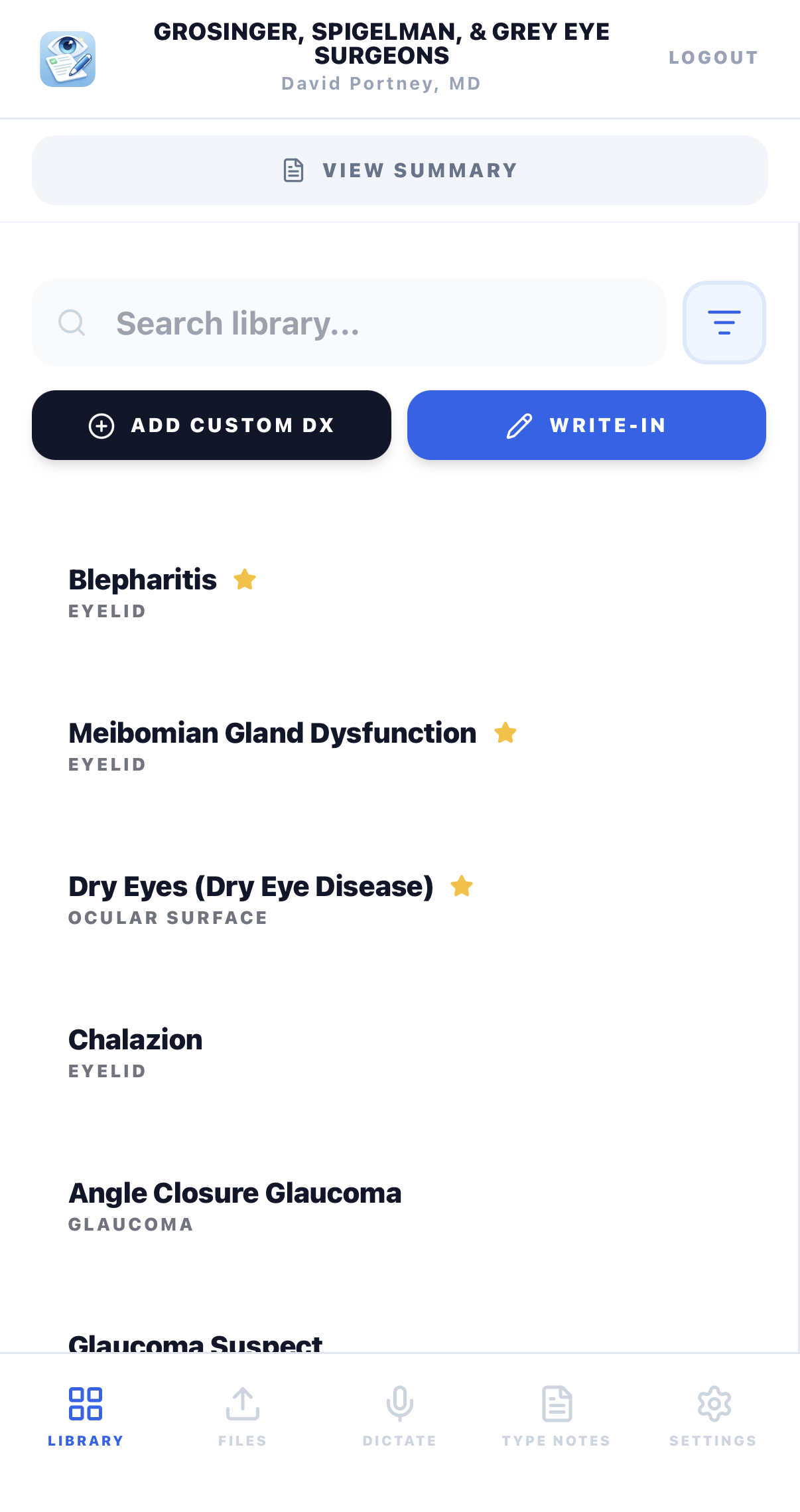
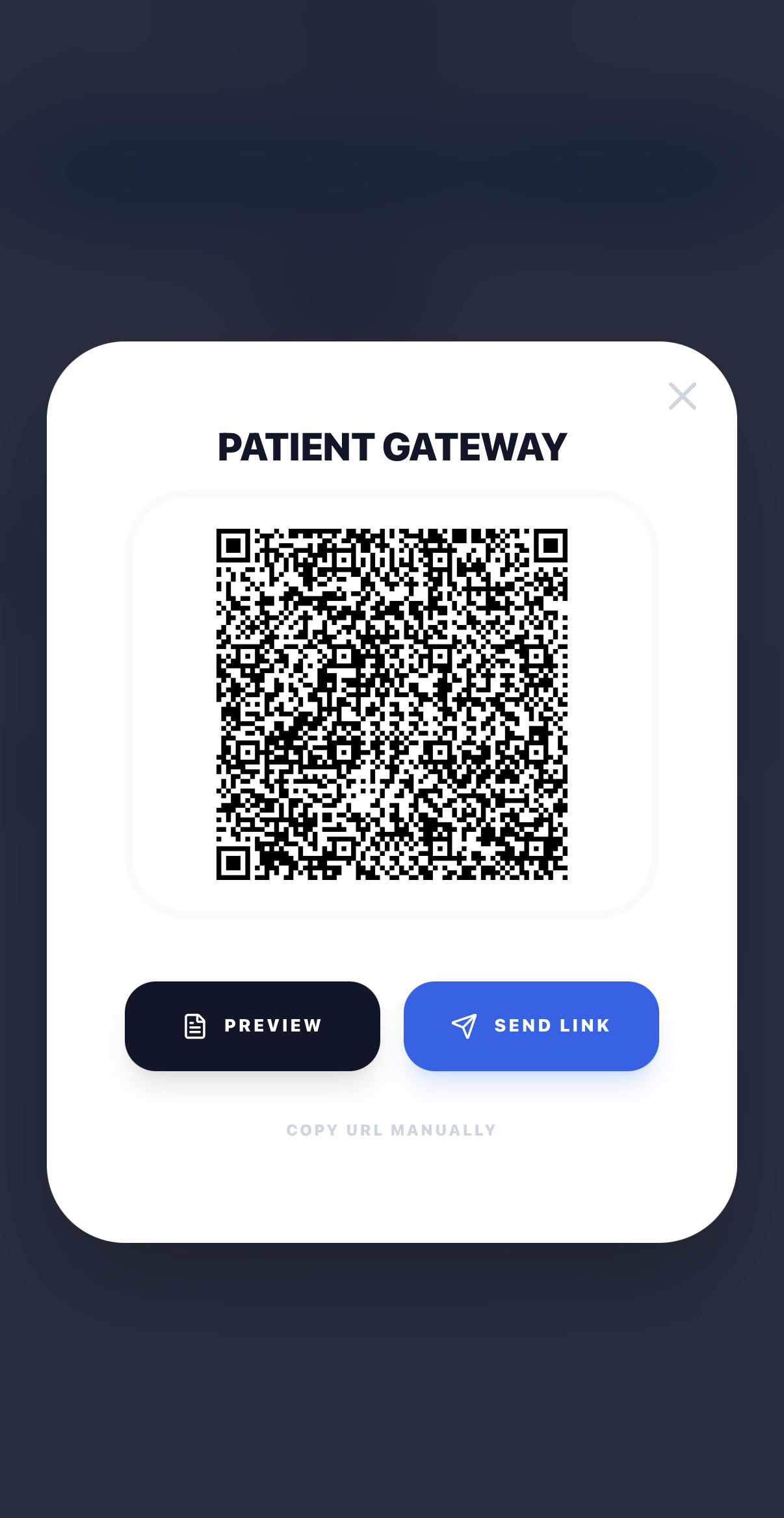
The AVS is fully optimized for mobile. Browse your diagnosis library, build the summary, then share it directly from your device. The patient scans a QR code at checkout — no printer, no cables, no friction.
Two ways to build a summary.
Both take under a minute.
No typing needed.
Tap the Dictate tab and speak your clinical note out loud. The AI transcribes your words and automatically extracts diagnoses and treatment plans — ideal for iPad workflows where typing on glass slows everything down.
Speak naturally in clinical shorthand. The AI handles the rest.
The AI translates.
On a computer, the Type Notes mode is the fastest way in. Write the way you'd dictate into a chart — abbreviated, clinical, shorthand. The AI reads your note, identifies the diagnoses and plan, and populates the summary automatically. You only type what you need.
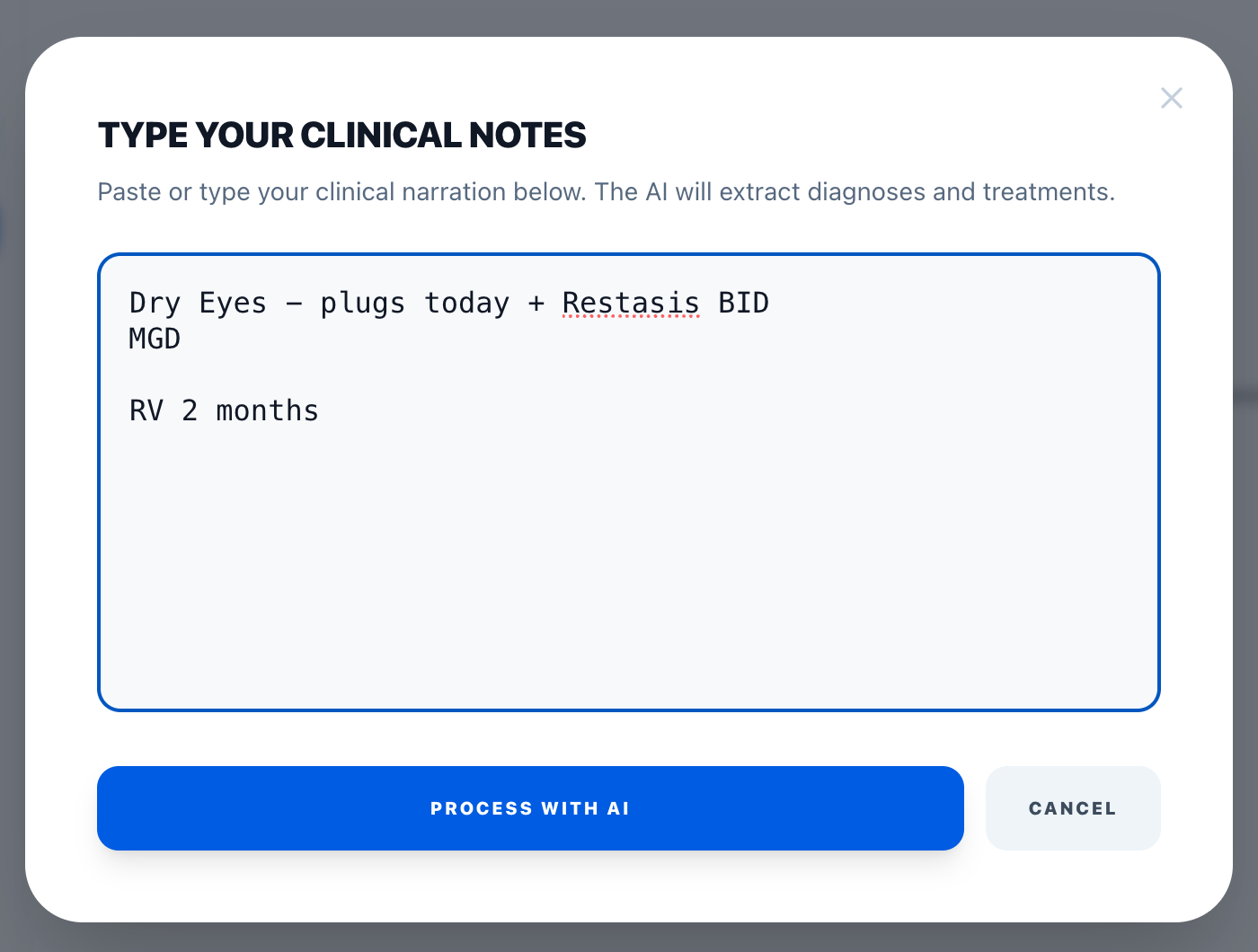
Most EMR systems generate visit summaries that are dense, technical, and designed for documentation rather than comprehension. The AVS does the opposite.
Every diagnosis block is written at the patient level: what the condition is, what it means for them, what they should do, and when to call.
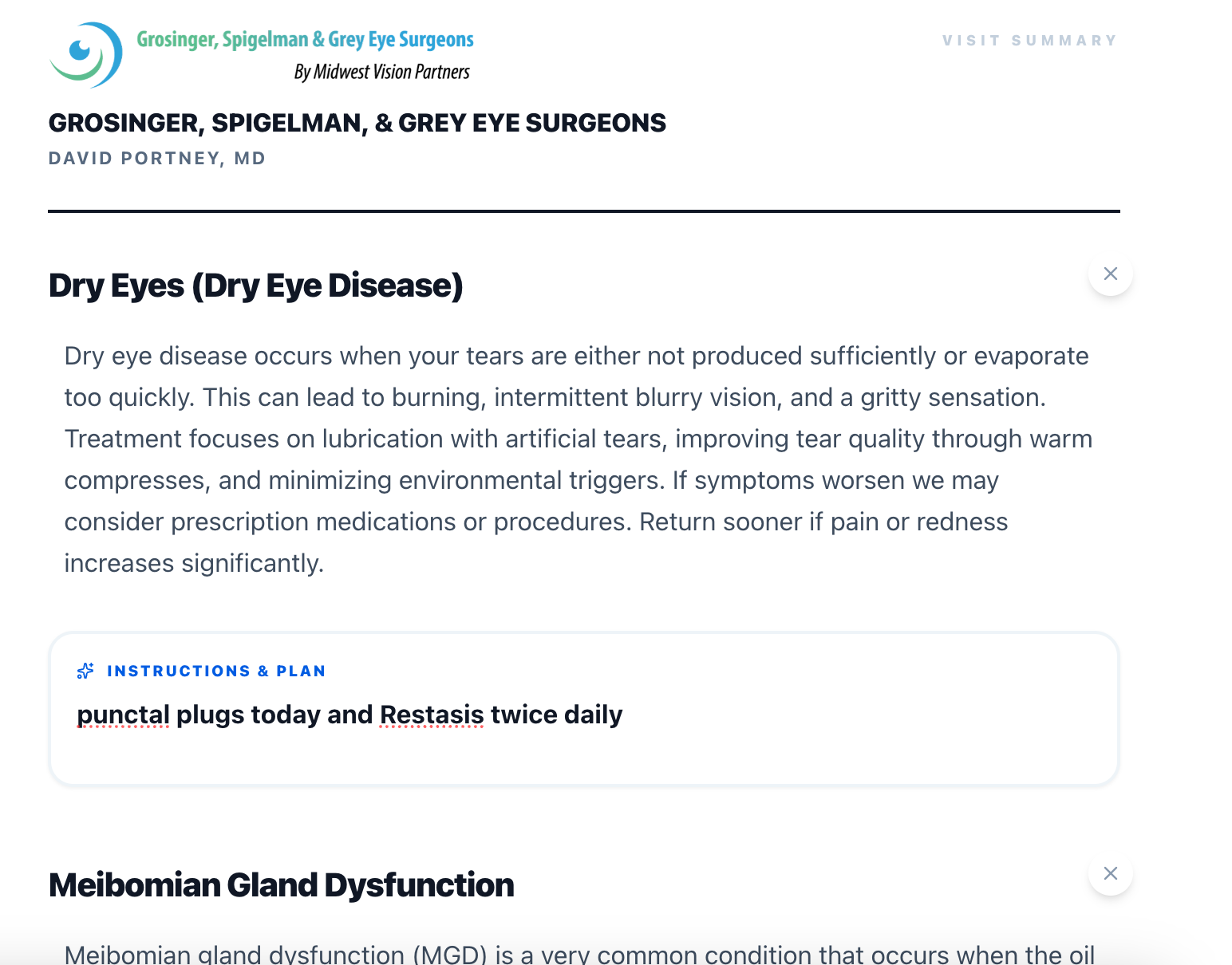
Below is a real summary output — generated from a two-line clinical note.
Clean. Branded.
Ready in seconds.
Each diagnosis gets its own section: a plain-language explanation followed by the specific instructions and plan pulled from your note. The summary carries your practice header, physician name, and any attachments you've selected.
The follow-up timing is pulled automatically from your note. Every element is editable inline before printing — so if the AI missed something or you want to adjust the language for this particular patient, you can.
in your practice?
The app is free to use. Login takes under a minute — and your customizations save for every visit after that.