Show patients
what surgery can do.
Patients can't see what cataract surgery will do for them until it's done. And surgeons often struggle with describing the pros and cons of various lens choices. The IOL Simulator hopes to change that. Designed by an ophthalmologist, it is a brand-neutral visualization tool designed for physicians to share with patients. Before-and-after comparisons across realistic scenes, with major lens categories represented. No manufacturer affiliation. No bias.

From their world today,
to what's possible.
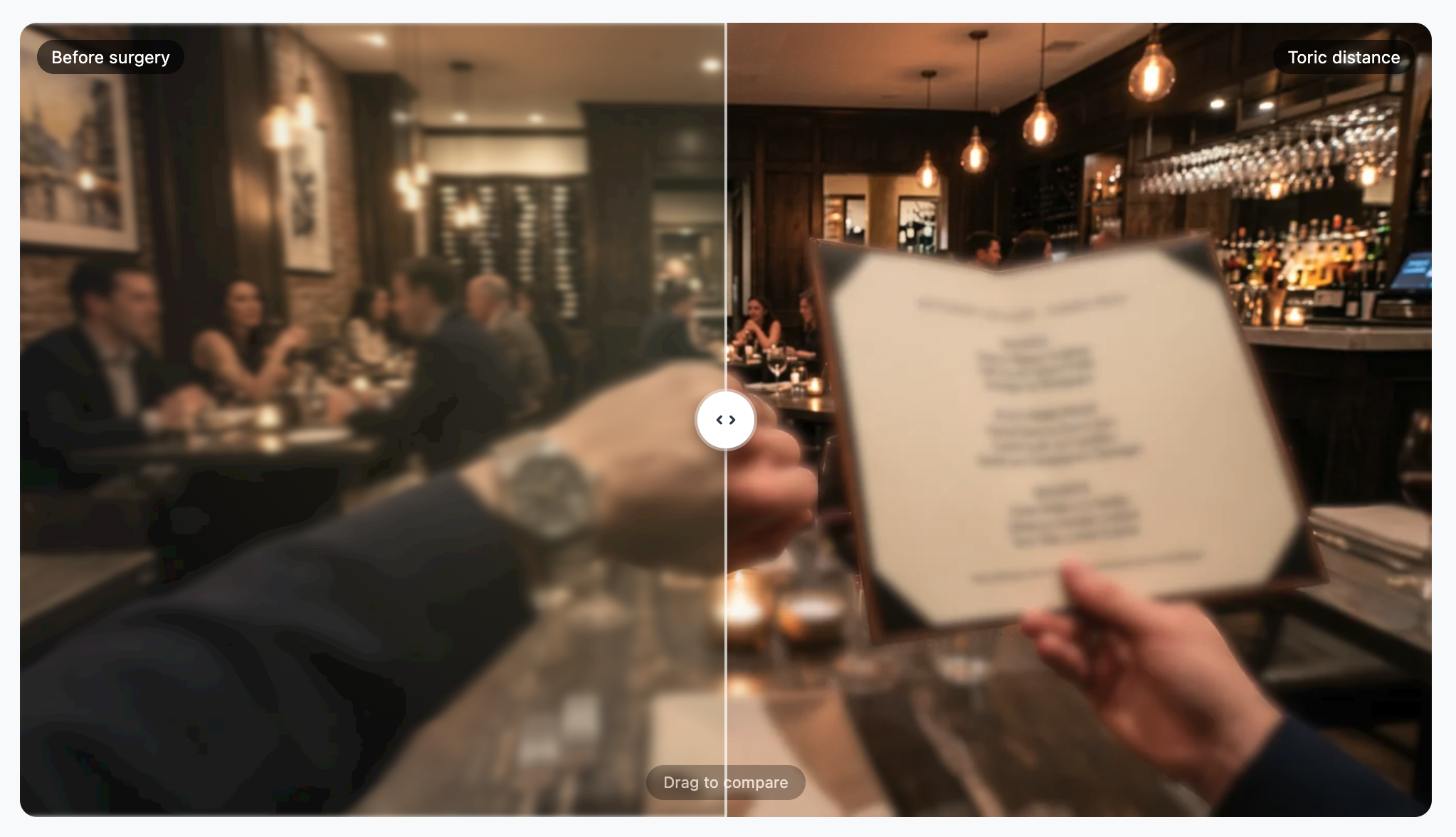
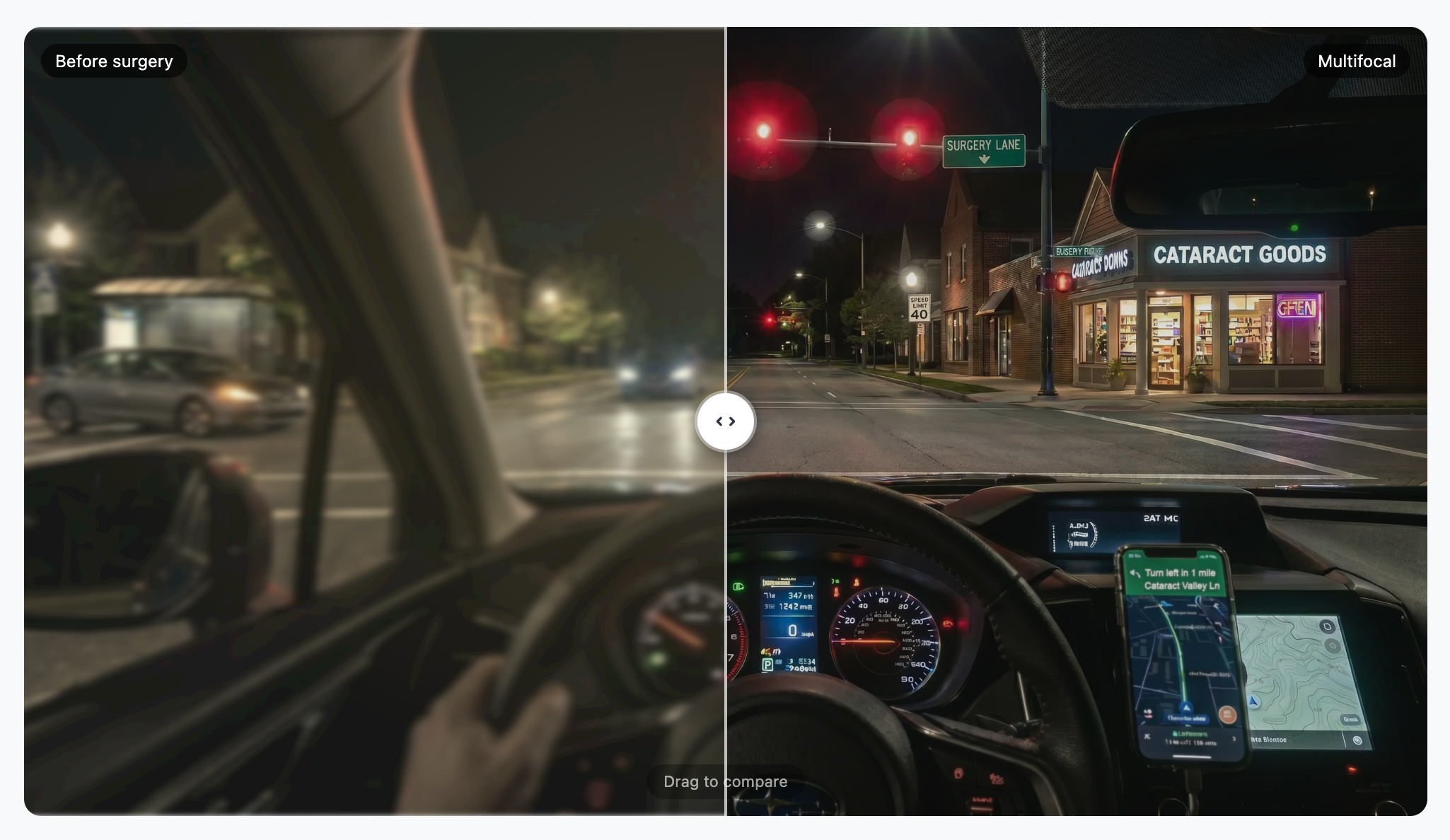
The simulator opens with a draggable split-screen comparison: pre-surgery vision that can be calibrated for cataract severity, refractive error, and astigmatism versus a selected lens outcome. Drag the divider left or right across four real-world scenes to compare.
It's not a description of what surgery can do. It's a demonstration. Patients see it for themselves, in situations they recognize from everyday life.

Every lens type.
One interface.
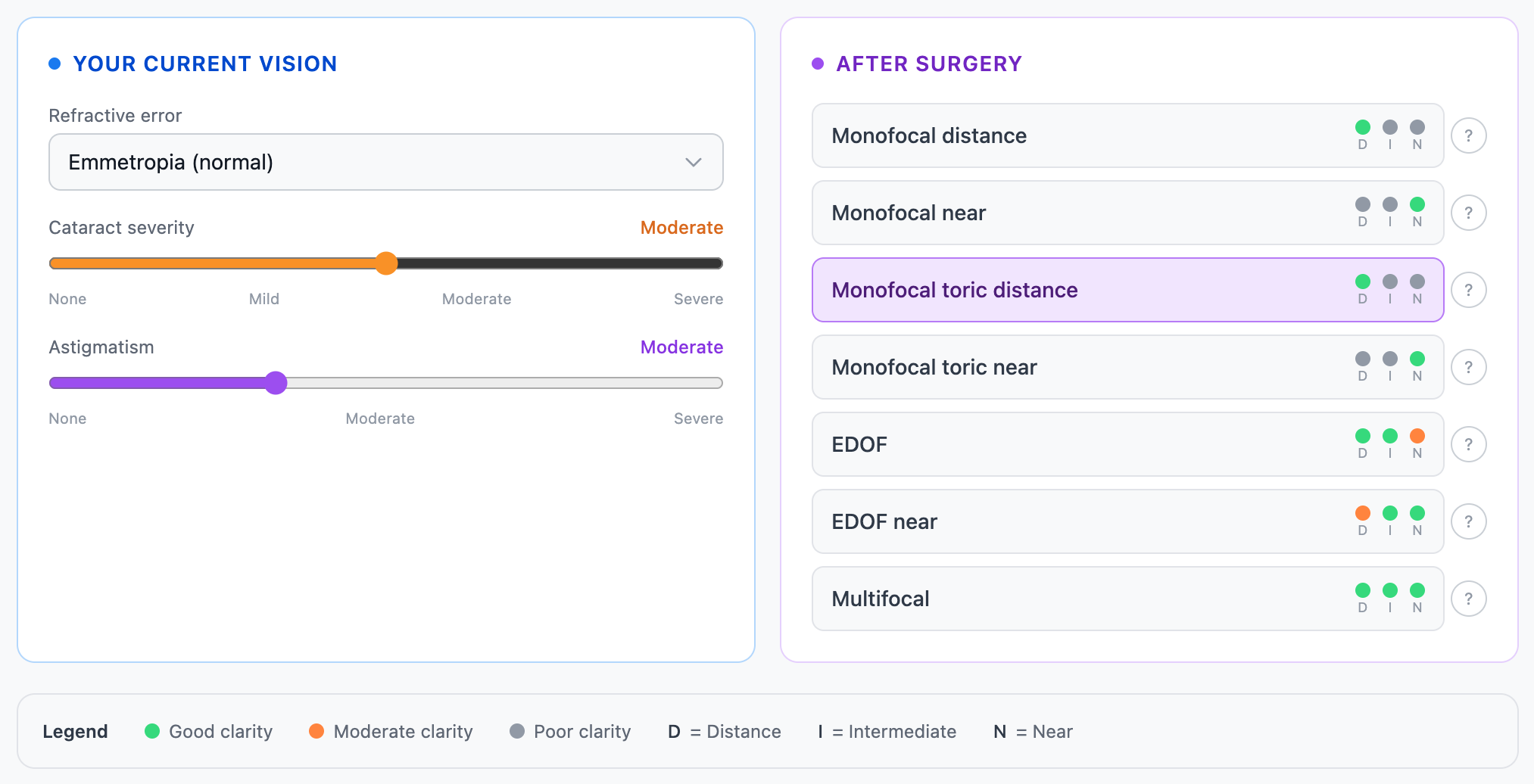
Set the patient's refractive error, cataract severity, and astigmatism on the left. On the right, every major lens category appears with its expected performance across distance, intermediate, and near vision — color-coded so the tradeoffs are immediately legible.
Monofocal, toric, EDOF, and multifocal options are all present. Patients see not just which lens is being recommended, but what each option actually means for how they'll see day to day.
Every major IOL manufacturer — Alcon, Johnson & Johnson, Bausch + Lomb — offers a simulation tool. Each one was built to sell their product.
The IOL Simulator was built to inform your patient. It covers the full range of lens categories without brand labeling, presents performance tradeoffs neutrally, and gives you a tool you can show in the exam room or share for a patient to review at home — without a commercial interest attached.
Patients notice when a tool is made by the company selling the implant. This one isn't.
Scenes that resonate.
Not diagrams.
Eating at a restaurant. Driving at night. A beautiful outdoor vista. Navigating a grocery store. These are the specific situations patients ask about when they're considering cataract surgery — and they're the exact scenes in the simulator.
Each scene allows for a pre- and post-op comparison or a comparison between lens types in contexts they live in every day. Switch between scenes at the top of the screen; the comparison updates instantly.
Put two lenses
side by side.
Switch to Compare mode and select any two lens options. The same real-world scene renders each outcome simultaneously — drag the divider to reveal the difference between them in real time.
For patients weighing monofocal versus EDOF, or EDOF versus multifocal, this turns an abstract decision into a visible one. Let the patient drag the slider. The conversation changes when they can see the tradeoff rather than hear it described.

to a patient?
The IOL Simulator runs in your browser — no download, no login required. Open it in the exam room or share the link directly with your patient before their surgery date.