Room status, simplified.
Built for how your office works.
Traditional hardwired light systems cost tens of thousands to install — and more every time your practice changes. RoomFlow replaces all of that with a fully customizable, software-driven dashboard that runs on any monitor, phone, or tablet you already own. No electrician required.
We built RoomFlow for a client who needed a nimble, low-cost way to manage room status across a busy multi-provider practice. The system worked so well that we made it broadly available.
The premise is simple: if you can mount a monitor where the old light panel used to be, we can do everything else in software — colors, blink patterns, provider assignments, room status — configurable in minutes, changeable any time.
Sign up and your settings save automatically. No patient data, no PHI — just your office, your way.
Design your office.
Your rooms, your rules.
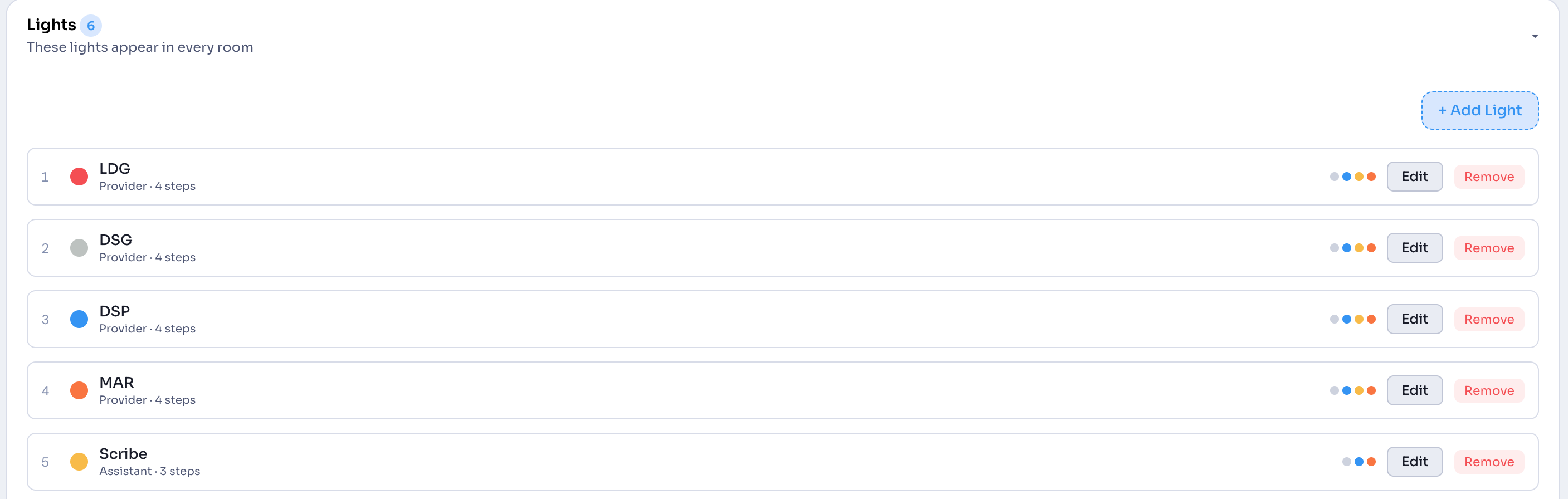
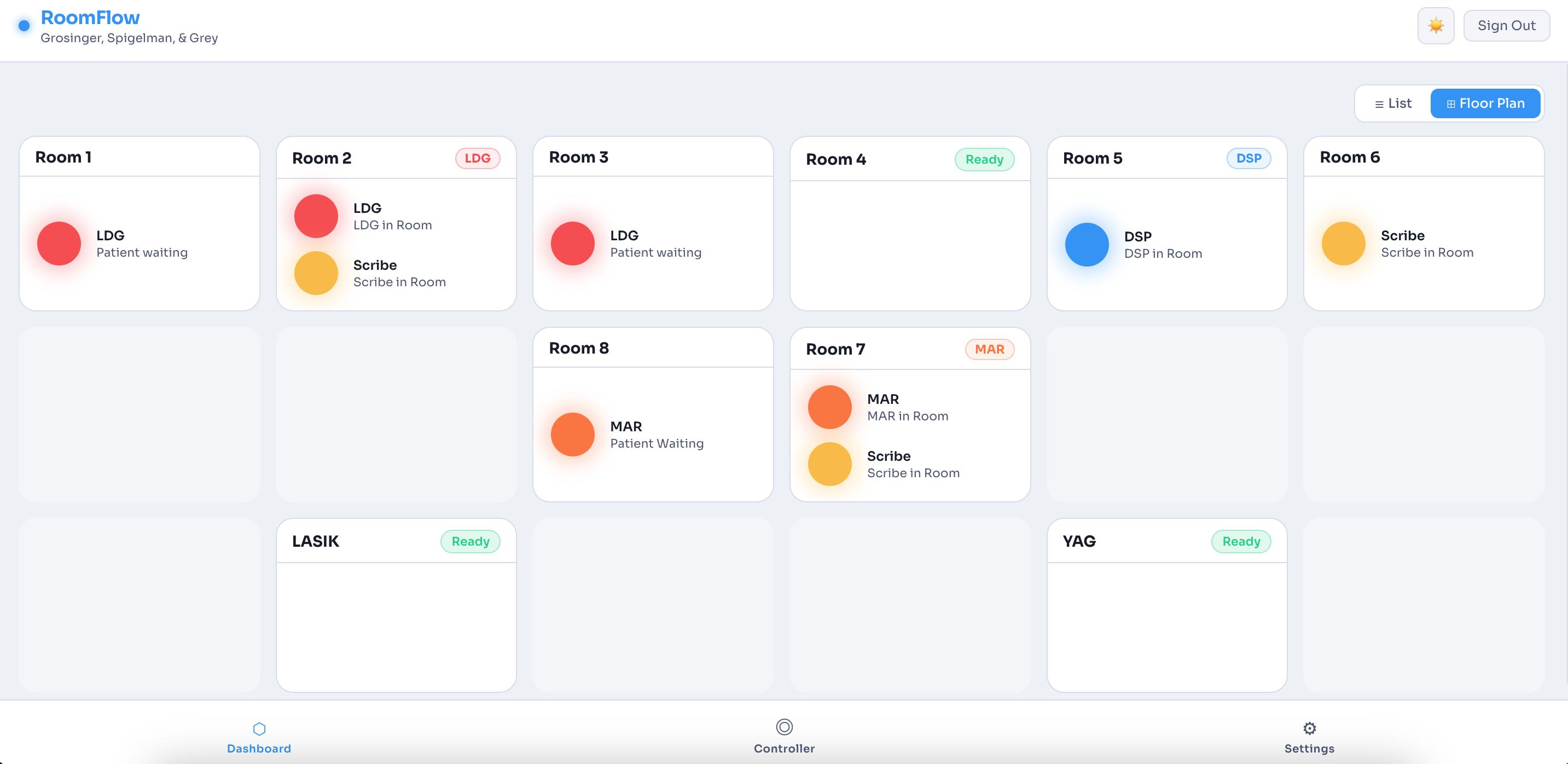
Start by setting the number of rooms and naming each one. Arrange them to match your actual floor plan so the dashboard reflects how your office is laid out — not a generic template.
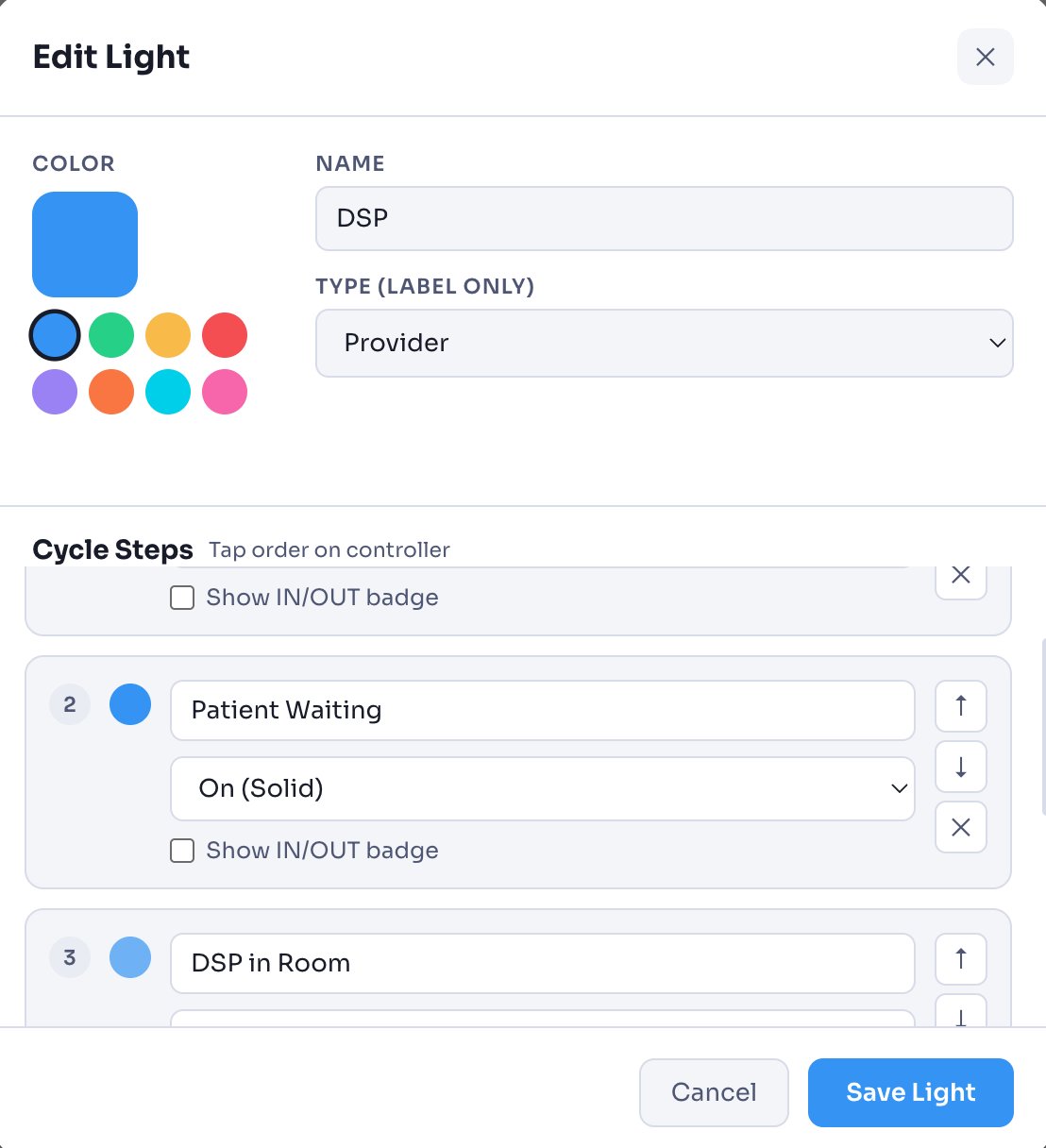
Then design your lights. Choose how many types you need — providers, assistants, room status flags — and for each one, define the full cycle: the order of states, the label for each step, and whether it shows solid, flashing, or cycling. Everything is fully yours to configure.
Every staff member.
Every device.
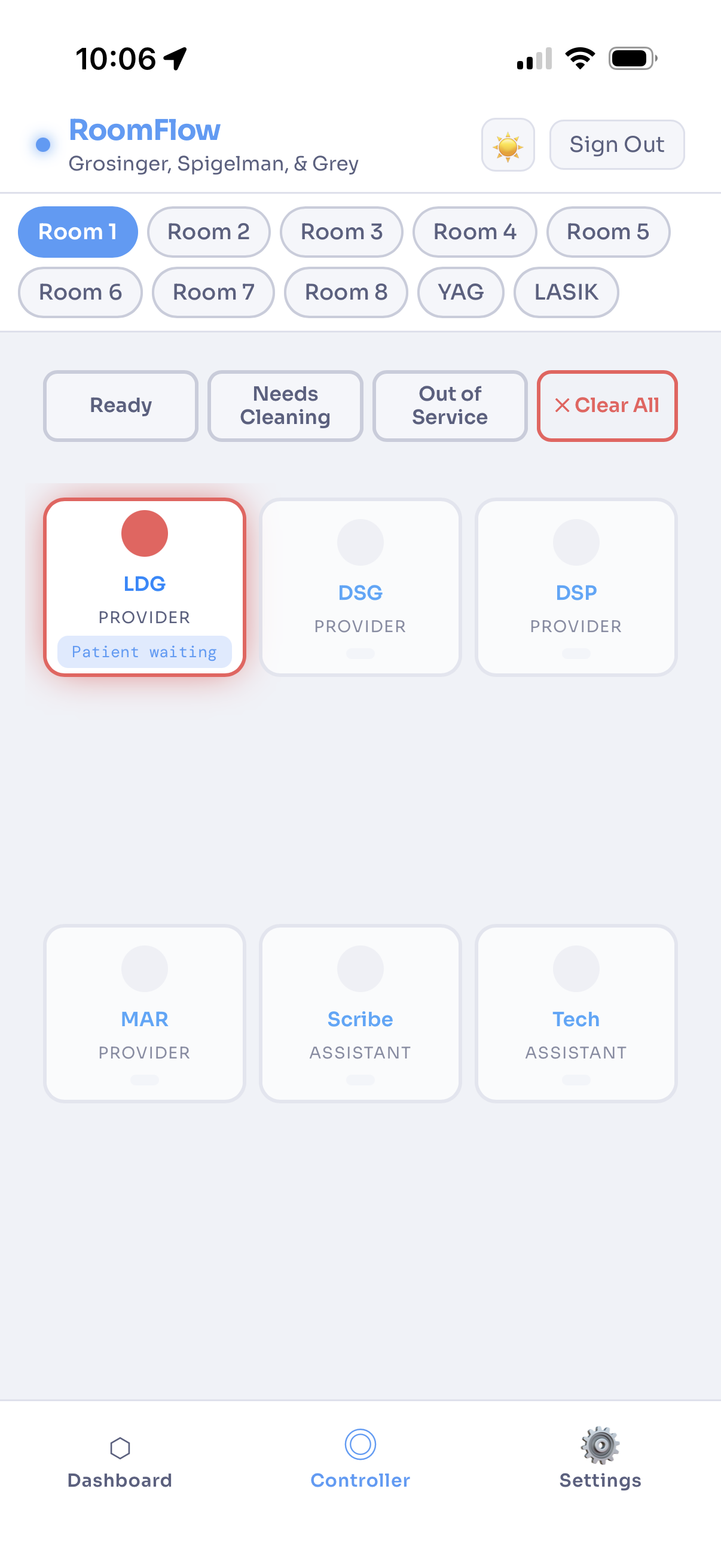
Staff update room status from their own phones or iPads — no dedicated panel, no walking across the office. Tap to mark who's in the room, flag that a patient is waiting, indicate a provider is needed, or clear the room entirely.
The controller works in any browser. Each room shows all its status options at a glance. The dashboard updates instantly for everyone the moment a change is made.
One view for the whole office.
Two ways to see it.
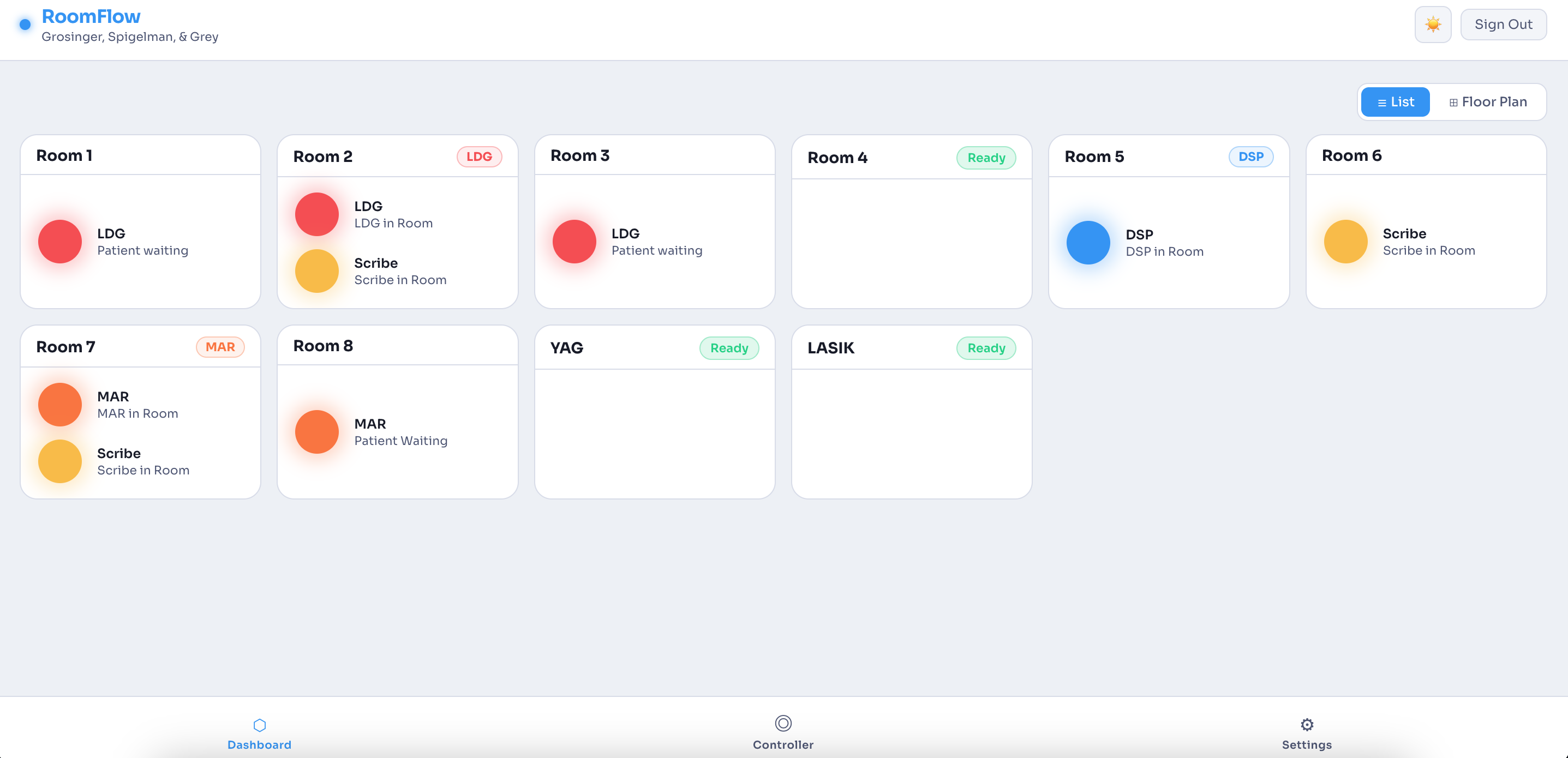
The dashboard is designed to run on monitors throughout the office so everyone knows what's happening at a glance — mounted exactly where a traditional light panel would have lived.
Choose the traditional list view for a compact, scannable summary of every room. Or switch to floor plan view to see rooms laid out the way your office actually looks. Both update in real time. Your staff picks whichever makes the most sense for where they're standing.
your light system?
Get in touch to get started. Configure your rooms and have the dashboard running before the end of the day. Want to try it first? Use the demo login: username: test / password: test123